> ## Documentation Index
> Fetch the complete documentation index at: https://docs.lytix.co/llms.txt
> Use this file to discover all available pages before exploring further.
# Feedback
> How to capture user feedback in lytix
Lytix supports capturing feedback directly from users, similar to 👍/👎 mechanisms.
**Note:** You likely want to be using the [proxy](/Quickstart/openai-integration) integration to capture feedback. This is because you need the `modelIOEventId` to be able to capture feedback.
### Make A Query
First lets make a query, following is an example using OpenAI, but the same pattern will work for any of the integrations.
```py Python
response = client.chat.completions.create(
model="gpt-4o-mini",
messages=[
{"role": "system", "content": "You are a helpful assistant. "},
{"role": "user", "content": [{ "type": "text", "text": "Just say hello "}]},
],
)
```
### Capture Feedback
Now we can extract the `ioEventId` and send it to the feedback endpoint.
```py Python
import requests
import json
# Extract the IO Event ID
ioEventId = response.to_dict()['lytix-proxy-payload']['lytixEventId']
# Or if you are in the EU 🇪🇺: https://eu.api.lytix.co/v2/metrics/setUserFeedback
url = "https://api.lytix.co/v2/metrics/setUserFeedback"
payload = json.dumps({
"modelIOEventId": ioEventId,
"userFeedback": "POSITIVE" # OR NEGATIVE
})
headers = {
# Add your lytix api key
'lx-api-key': '$LYTIX_API_KEY',
'Content-Type': 'application/json'
}
response = requests.request("POST", url, headers=headers, data=payload)
```
### View Feedback
You can view feedback in the Lytix platform when viewing specific IO Events.
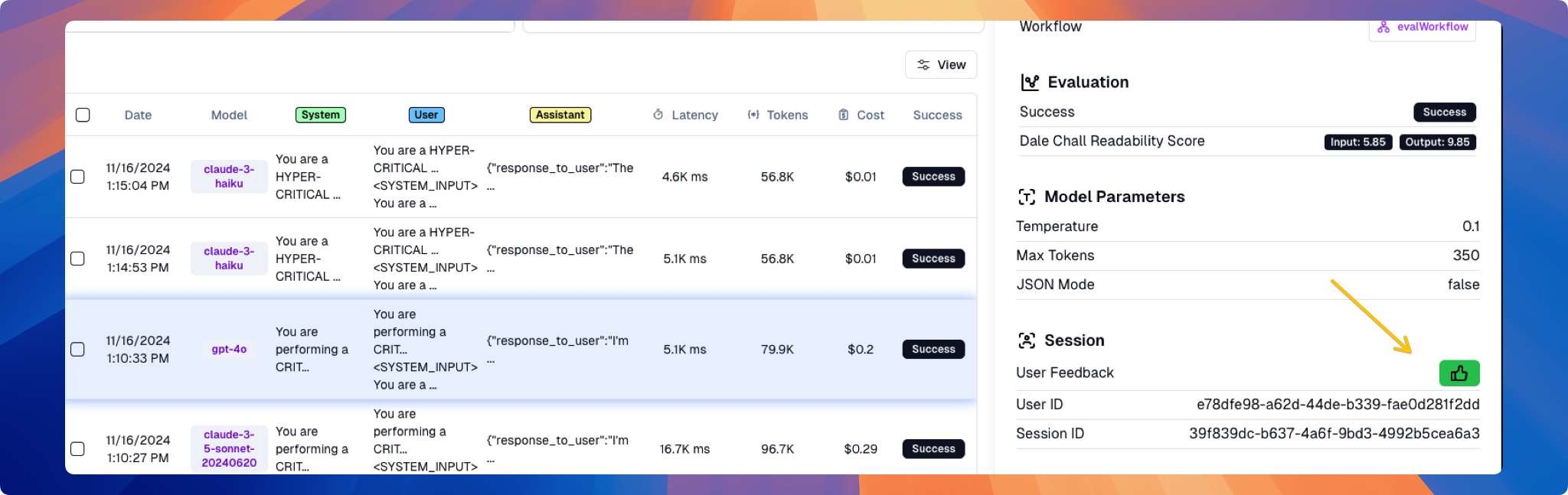
Or you can view all feedback as a graph under the [User Feedback]("https://lab.lytix.co/home/users/feedback) page.